Basic Linux Commands


man-> we type man to get manual.eg. "man ls" we get all the commands related to the listing.
man ls command
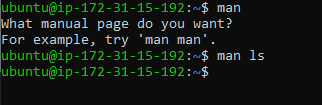
- Description of manual command.

clear-> It is used to clear the terminal or screen.clear -x-> It clears the terminal but we can scroll to check the previous data.pwd-> Whenever we feel lost in the file system, call the pwd command to know where you are: It will print the current folder path.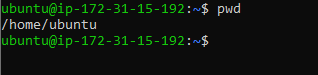
listing command
ls-> Inside a folder you can list all the files that the folder contains using the ls command.
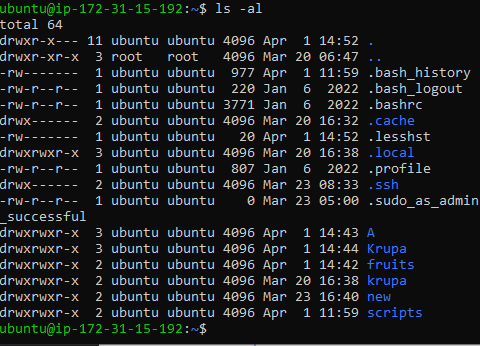
ls -l-> provides a long form of a list.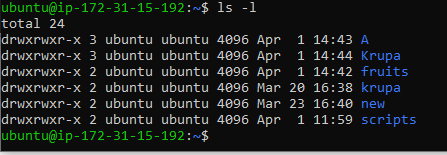
ls -a-> also show .files from the list.
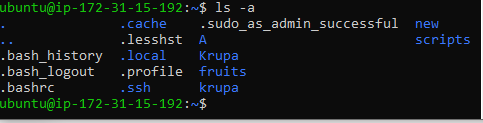
ls -al-> show both long-form and .files from the list.
ls -i-> print the index number of each file.

Change Directory
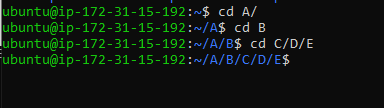
cd-> cd means "change directory" which changes the path from one folder to another folder.eg. " cd A/ " so now we are in the A folder.
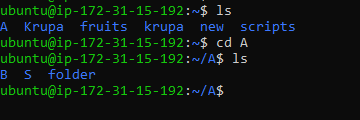
cd ..-> This means changing the directory to one folder back.

cd ../../../..-> This means changing directory to 4 folders back.Make Directory
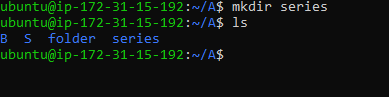
mkdir-> Means Make Directory or Make One Folder.eg. mkdir series -> so we made a series folder.
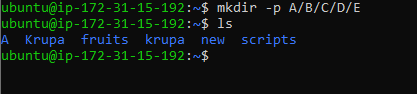
mkdir -p-> is used to create nested folder.eg. mkdir -p A/B/C/D/E so we created nested folder of A where we folder insider folder.


![Basic Linux Commands [Part-2]](https://cdn.hashnode.com/res/hashnode/image/upload/v1680369884269/ee2800f0-1b2f-438d-9985-441a02fce17d.jpeg)